
Getting started
Quick start
The fastest way to go from “I just downloaded this” to a working treatment plan you can actually follow. Plan on about 10 minutes.
Dr. Jared is built around three core moments: a chat where you describe what hurts, a plan that gets generated for you, and the daily workout you run through. This page covers all three.
The five-minute path to your first plan
- 1
Create your account
Tap Get Started and use your email and a password. Pick a name and gender — full details on the signup page. - 2
Start a chat
The first thing you’ll see after signing in is a prompt to talk to Dr. Jared. Type what’s bothering you the way you’d explain it to a friend: “my lower back hurts when I sit too long.” - 3
Answer the follow-ups
Dr. Jared will ask a handful of clarifying questions — how long it’s been going on, what makes it worse, etc. Answer naturally; there’s no form to fill out. - 4
Review your plan
Within the conversation, Dr. Jared will hand you a treatment plan card. Tap View Plan Details to open the full plan and see the exercises. - 5
Tap Start Workout
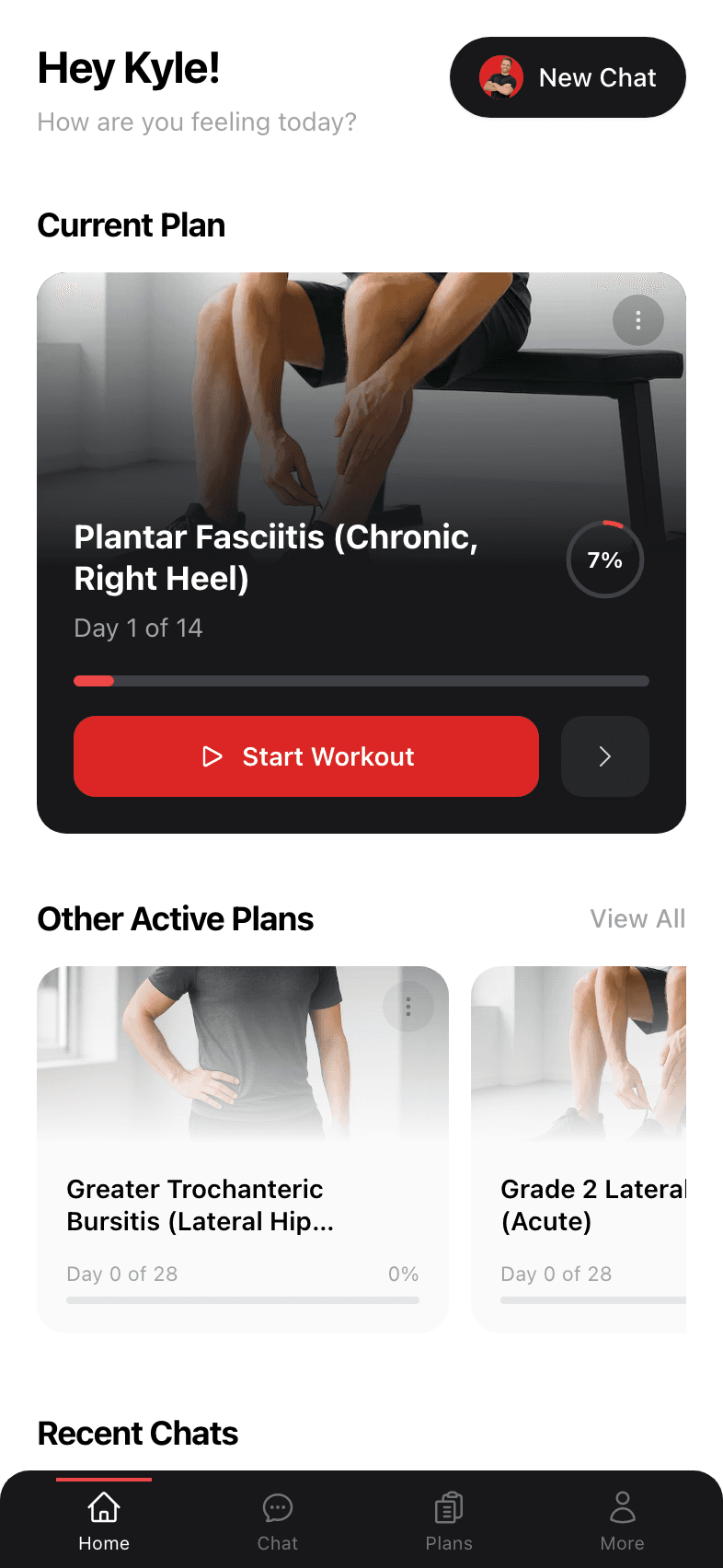
Every plan has a big red Start Workout button at the top. Tap it whenever you’re ready and follow along set by set.
What the app looks like
Here’s the home screen you’ll see once you have a plan running. The big card up top is your Current Plan. Tap it to keep going.
Where to go next
Pick whichever feels most useful right now:
- Following your first plan — read this if you have a plan but aren’t sure how to use it.
- Going through a workout — every detail of the workout screen, sets, rest timers, and skipping exercises.
- Chatting with Dr. Jared — tips for getting a sharper plan from your conversations.