
Your account
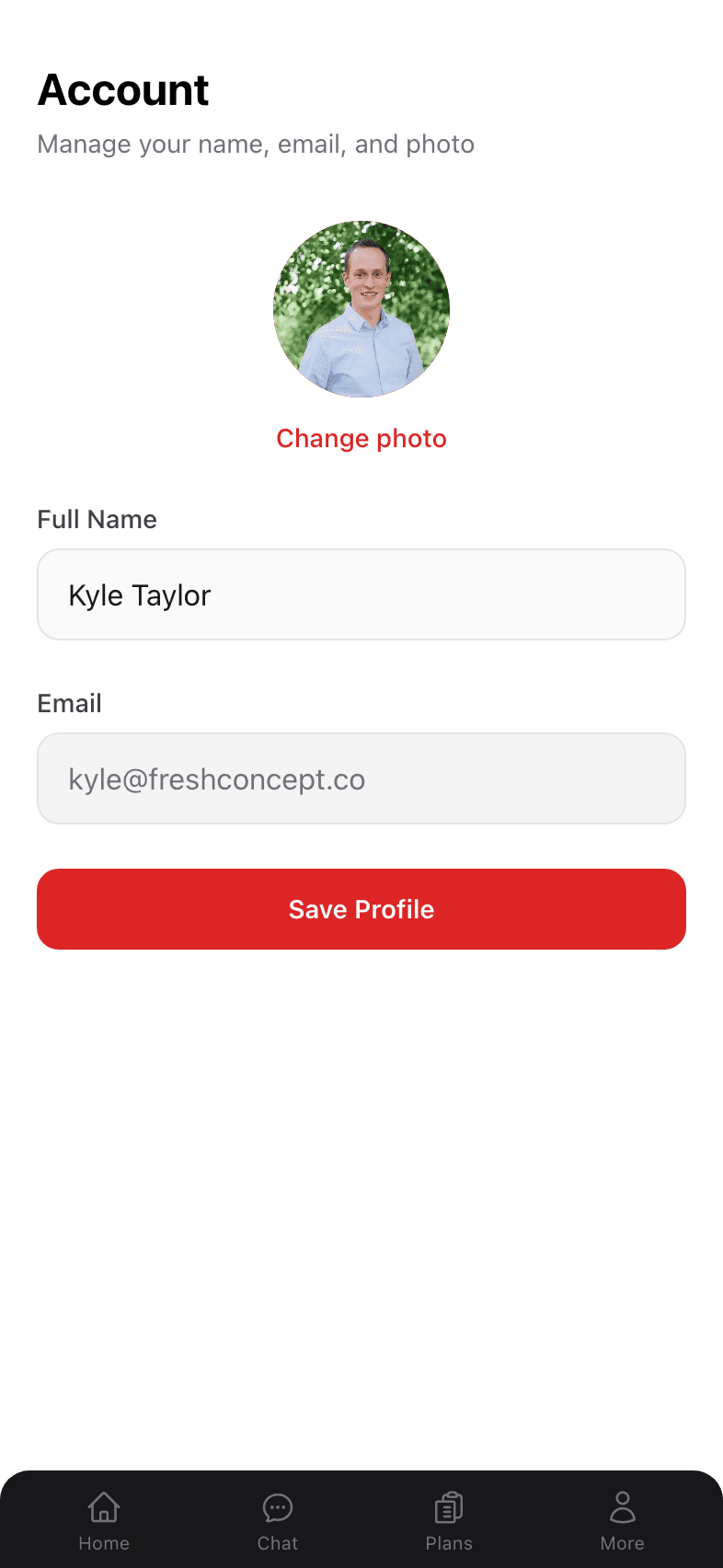
Profile — name, email, photo
The Account page handles the basics: how you’re identified across the app, your email, and your profile photo.
Getting to your profile
- 1
Open the More menu
Tap the More tab (the silhouette icon on the far right of the bottom nav). - 2
Tap your name at the top of the sheet
The first row in the menu — with your avatar, name, and email — is the link to your Account page.
What you can edit
Profile photo
Tap Change photo under the current avatar. You’ll be prompted to pick an image from your camera roll or take a new one. The photo is cropped to a circle automatically.
Full name
Edit your name and tap Save Profile. Your name is used for greetings (“Hey Kyle!”) and in your My Chart header.
Your email is shown as a non-editable field today. If you need to update it, contact support and we’ll handle the change.
Where your profile shows up
- The greeting on your dashboard (“Hey {first name}!”).
- The More menu in the bottom nav.
- The header of your My Chart page.
What lives elsewhere
The Profile page is intentionally minimal. Adjacent settings:
- Health details — age, height, activity level, conditions — live on My Info. That’s the page that improves your AI recommendations.
- What Dr. Jared remembers about you — surfaced on My Chart.
- Password reset — done via the “Forgot password?” link on the sign-in page; see Signing up & signing in.
FAQs
Can I change my email?
Not directly in the app right now — contact support and we’ll update it. We’re planning to allow self-serve email changes in a future release.
Can I delete my account?
Yes — tap Delete account at the bottom of the Account page and type DELETE to confirm. Your account, chats, plans, and profile data are deleted right away. See Delete your account for details, including how to request deletion by email.
Is my profile photo public?
No. Your photo is only visible to you in the app — there are no profiles, friend lists, or shared feeds.
Why won’t my new photo show up?
Try pulling down on the dashboard to refresh. If it still doesn’t appear, sign out and back in. The image is stored in Supabase storage and may take a moment to propagate.